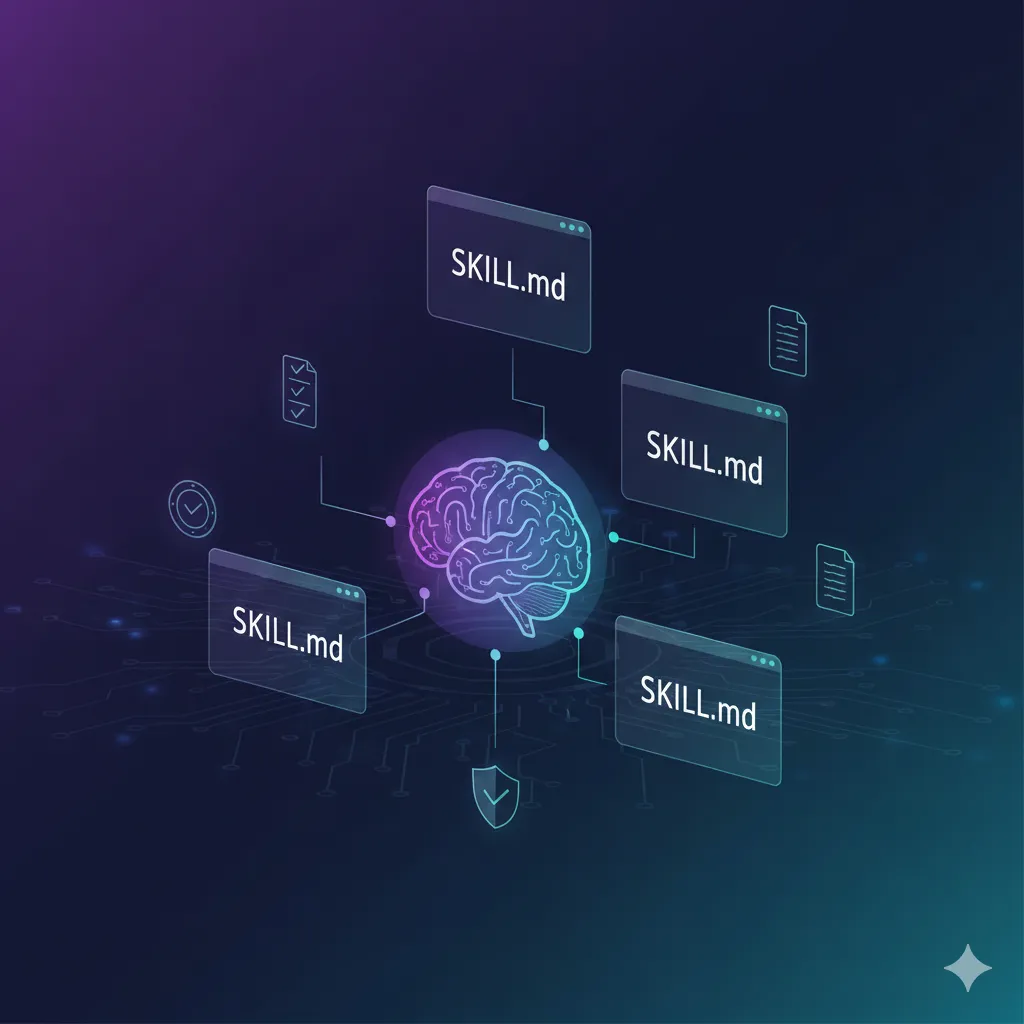
Stop repeating yourself. Let Claude remember your standards.
Every company has rules. Every team has standards. Every person has preferences.
- "We always include a risk assessment in project proposals"
- "User stories must have acceptance criteria"
- "Data exports need GDPR compliance checks"
- "Emails to clients follow this tone..."
You repeat these rules constantly. To new team members. To AI assistants. To yourself when you forget.
What if you could write them down once, and Claude would apply them automatically - forever?
That's what Skills do.
What Are Skills?
Skills are markdown files that teach Claude specialized knowledge. You write your rules in a file. Claude reads it and applies those rules whenever relevant.
The key difference from commands:
- Commands = You run them explicitly (
/start_my_day) - Skills = Claude uses them automatically when they match your request
Ask Claude to "draft a client email" and it automatically applies your writing style skill. Ask to "review this data export" and it applies your GDPR compliance skill.
No reminders needed. The rules are embedded.
How Skills Work
+-----------------+    +-----------------+    +-----------------+
|   You create    | -> |  Claude loads   | -> |  Rules apply    |
|   SKILL.md      |    |  at startup     |    |  automatically  |
+-----------------+ +-----------------+ +-----------------+- You write rules in a
SKILL.mdfile - Claude loads skill names and descriptions at startup
- When your request matches a skill's description, Claude asks to use it
- Claude follows the skill's instructions
Skill File Structure
Skills live in .claude/skills/ folders. Each skill is a directory containing a SKILL.md file:
.claude/
└── skills/
    ├── company-writing-style/
    │   └── SKILL.md
    ├── gdpr-compliance/
    │   └── SKILL.md
    └── meeting-standards/
        └── SKILL.md
Where to Put Skills
| Location | Path | Who Gets It |
|---|---|---|
| Personal | ~/.claude/skills/ |
Only you, all projects |
| Project/Team | .claude/skills/ |
Everyone in the repo |
Pro tip: Put team skills in the project folder and commit to git. Everyone gets the same standards automatically.
SKILL.md Format
Every skill needs a SKILL.md file with YAML frontmatter:
---
name: skill-name
description: What this skill does. When to use it.
---

# Your Rules Here

Write your instructions, checklists, templates...
The description is crucial - Claude uses it to decide when to apply the skill. Include keywords users would naturally say.
Real Examples for Smart Workers
Here are skills that match what we discussed - company rules, team standards, compliance checks.
1. Company Writing Style
Every company has a voice. Encode it once.
Path: ~/.claude/skills/company-writing-style/SKILL.md
---
name: company-writing-style
description: Apply company writing standards to emails, documents, and communications. Use when drafting emails, writing documents, or when user asks to write anything external.
---

# Company Writing Standards

## Our Voice
- Professional but human
- Clear over clever
- Confident, not arrogant
- Solution-focused

## Email Rules
- Subject line: Action + Topic (e.g., "Review needed: Q4 Budget")
- Greeting: "Hi [Name]," (never "Dear")
- First sentence: State the purpose immediately
- Body: Max 3 paragraphs
- Sign-off: "Best regards," for external, "Thanks," for internal
- Always include next steps or ask

## Words We Use
- "Challenge" not "problem"
- "Opportunity" not "issue"
- "Team" not "resources"
- "Invest" not "spend"

## Words We Avoid
- Jargon without explanation
- Passive voice when active works
- "ASAP" (give actual dates)
- "Per my last email" (just restate)

## Client Communication
- Always acknowledge their concern first
- Provide timeline for resolution
- End with commitment, not apology

## Example

**Before:**
> Per our discussion, I wanted to circle back regarding the deliverables. Please advise on next steps ASAP.

**After:**
> Following up on our call about the Q4 deliverables. Can you confirm the final requirements by Thursday so we can hit the Dec 15 deadline?
2. Team Meeting Standards
Consistent meetings, every time.
Path: .claude/skills/meeting-standards/SKILL.md
---
name: meeting-standards
description: Apply team meeting standards when creating agendas, taking notes, or processing meeting content. Use when user mentions meetings, agendas, meeting notes, or action items.
---

# Team Meeting Standards

## Agenda Format
Every meeting agenda must include:

## [Meeting Name]
Date: [Date] | Time: [Duration] | Location: [Room/Link]

### Attendees
- Required: [names]
- Optional: [names]

### Objectives
1. [What we need to decide/accomplish]

### Agenda Items
| Time | Topic | Owner | Type |
|------|-------|-------|------|
| 5 min | [Topic] | [Name] | Inform/Discuss/Decide |

### Pre-read
- [Links to documents to review before]

### Notes
[To be filled during meeting]

## Meeting Notes Format

## Meeting Summary: [Name]
Date: [Date]

### Decisions Made
- [Decision]: [Rationale]

### Action Items
| Action | Owner | Due Date |
|--------|-------|----------|
| [Task] | [Name] | [Date] |

### Key Discussion Points
- [Topic]: [Summary of discussion]

### Parking Lot
- [Items to address later]

### Next Meeting
[Date/time if scheduled]

## Rules
- No meeting without agenda sent 24h before
- Action items must have owner AND due date
- Notes sent within 24h of meeting
- Standing meetings reviewed monthly for necessity
3. GDPR Compliance Checker
Data protection rules for every feature touching user data.
Path: .claude/skills/gdpr-compliance/SKILL.md
---
name: gdpr-compliance
description: Check GDPR compliance for features, data exports, or anything handling personal data. Use when user mentions GDPR, privacy, personal data, user data, data export, or compliance.
---

# GDPR Compliance Checker

## When This Applies
- Any feature collecting user data
- Data exports or reports with personal info
- Third-party integrations receiving user data
- User account features
- Analytics implementations

## Quick Checklist

### Data Collection
- [ ] What personal data is collected? (List specific fields)
- [ ] Lawful basis identified? (Consent/Contract/Legal/Vital/Public/Legitimate)
- [ ] Only necessary data collected? (Data minimization)
- [ ] Privacy notice updated?

### Data Storage
- [ ] Where is data stored? (EU/non-EU)
- [ ] Encryption at rest?
- [ ] Retention period defined?
- [ ] Deletion process exists?

### User Rights
- [ ] Can user access their data?
- [ ] Can user export their data? (Portability)
- [ ] Can user delete their data? (Erasure)
- [ ] Can user correct their data? (Rectification)

### Third Parties
- [ ] Data Processing Agreement signed?
- [ ] Sub-processors documented?
- [ ] Transfer mechanism for non-EU? (SCCs/Adequacy)

## Red Flags
Flag immediately if:
- Collecting data "just in case"
- No consent mechanism for marketing
- Storing data indefinitely
- Sharing with third party without DPA
- No way to delete user data
- Children's data without parental consent
4. User Story Standards (For POs)
Consistent user stories across the team.
Path: .claude/skills/user-story-standards/SKILL.md
---
name: user-story-standards
description: Apply user story standards when writing stories, refining backlog, or reviewing requirements. Use when user mentions user story, backlog, requirements, or acceptance criteria.
---

# User Story Standards

## Story Format

### [STORY-ID] Title

**As a** [user type]
**I want** [goal/action]
**So that** [benefit/value]

#### Acceptance Criteria
- [ ] Given [context], when [action], then [result]
- [ ] Given [context], when [action], then [result]

#### Notes
- [Technical considerations]
- [Dependencies]
- [Out of scope]

#### Story Points: [X]

## Rules

### Title
- Verb + Object format ("Add password reset", "Display order history")
- No technical jargon
- User benefit clear

### User Types
Use our defined personas:
- Customer (end user buying products)
- Admin (internal ops team)
- Manager (team leads with reports)
- System (automated processes)

### Acceptance Criteria
- Use Given/When/Then format
- One behavior per criteria
- Testable and specific
- Include edge cases
- Include error states

### Story Points
- 1: < 2 hours, no unknowns
- 2: Half day, minor unknowns
- 3: Full day, some complexity
- 5: 2-3 days, moderate complexity
- 8: Week, significant complexity
- 13: Too big - split it
5. Data Quality Rules (For Data Leads)
Standards for data exports and reports.
Path: .claude/skills/data-quality-rules/SKILL.md
---
name: data-quality-rules
description: Apply data quality standards when creating reports, data exports, or reviewing data pipelines. Use when user mentions data export, report, data quality, or dashboard.
---

# Data Quality Standards

## Report Requirements

Every report/export must include:

### Metadata Header
Report: [Name]
Generated: [Timestamp]
Period: [Date range]
Source: [System/Database]
Owner: [Team/Person]
Refresh: [Frequency]

### Data Quality Checks
Before delivery, verify:

- [ ] **Completeness**: No unexpected nulls in required fields
- [ ] **Uniqueness**: No duplicate records where not expected
- [ ] **Timeliness**: Data current as of expected timestamp
- [ ] **Validity**: Values within expected ranges
- [ ] **Consistency**: Totals match across related reports

### Standard Validations

| Check | Rule |
|-------|------|
| Row count | Within 20% of previous run |
| Null rate | < 5% for required fields |
| Date range | Matches requested period |
| Totals | Sum columns match header |

## Naming Conventions

### Files
[SYSTEM]_[REPORT]_[YYYYMMDD].[ext]
Example: CRM_CustomerExport_20260102.csv

### Columns
- snake_case for technical exports
- Title Case for business reports
- Include units: revenue_eur, weight_kg
- Include period: sales_mtd, users_ytd
6. AI Act Compliance (For AI Features)
EU regulation compliance for any AI feature.
Path: .claude/skills/ai-act-compliance/SKILL.md
---
name: ai-act-compliance
description: Check EU AI Act compliance for AI/ML features. Use when reviewing AI features, ML models, chatbots, or when user mentions AI Act, AI compliance, or AI risk assessment.
---

# EU AI Act Compliance

## Risk Classification

First, classify the AI system:

| Risk | Examples | Action |
|------|----------|--------|
| Unacceptable | Social scoring, manipulative AI | Banned |
| High | HR screening, credit decisions, medical diagnosis | Full compliance |
| Limited | Chatbots, emotion detection | Transparency required |
| Minimal | Spam filters, search, recommendations | No requirements |

## High-Risk Checklist

If classified as high-risk:

- [ ] Risk management system documented
- [ ] Training data documented (sources, prep, biases)
- [ ] Technical documentation complete
- [ ] Human oversight mechanism
- [ ] Accuracy/robustness metrics defined
- [ ] Bias testing performed
- [ ] Logging enabled for audits

## Transparency Requirements

For all AI (especially Limited risk):

- [ ] Users know they're interacting with AI
- [ ] AI-generated content is labeled
- [ ] Capabilities AND limitations documented
- [ ] Contact for human support available

## Timeline
- Feb 2025: Banned AI prohibited
- Aug 2025: High-risk rules apply
- Aug 2026: Full enforcement
7. Company Coding Standards (For Developers)
Same rules everywhere - Claude, pre-commit hooks, CI/CD.
Path: .claude/skills/coding-standards/SKILL.md
---
name: coding-standards
description: Apply company coding standards when writing code, creating branches, making commits, or reviewing code. Use when user mentions code, commit, branch, PR, or development.
---

# Company Coding Standards

## Branch Naming

Format: <type>/<ticket>-<description>

| Type | Use For |
|------|---------|
| feature/ | New features |
| bugfix/ | Bug fixes |
| hotfix/ | Production emergencies |
| release/ | Release branches |
| chore/ | Maintenance tasks |

Examples:
- feature/DS-142-add-user-auth
- bugfix/DS-156-fix-login-timeout

## Commit Messages

Format: <type>(<scope>): <TICKET> <description>

feat(auth): DS-142 add password reset flow

Users can now reset passwords via email.
Token expires after 1 hour.

### Types
- feat: New feature
- fix: Bug fix
- docs: Documentation
- style: Formatting
- refactor: Code restructure
- test: Adding tests
- chore: Maintenance

## Security Rules

**NEVER commit:**
- API keys or tokens
- Passwords or secrets
- Private keys (.pem, .key)
- Environment files (.env)
- Database credentials

**Use instead:**
- Environment variables
- Secret managers (Vault, AWS Secrets)
- .env.example with placeholders
Align Skills with Automation
The real power: same rules in Skills, hooks, and CI/CD. Claude knows the rules AND tooling enforces them.
Pre-commit Hooks
Install pre-commit:
pip install pre-commitCreate .pre-commit-config.yaml:
repos:
  # Branch name check
  - repo: local
    hooks:
      - id: branch-name
        name: Check branch name
        entry: bash -c '
          branch=$(git branch --show-current)
          if [[ ! "$branch" =~ ^(feature|bugfix|hotfix|release|chore)/[A-Z]+-[0-9]+-.*$ ]]; then
            echo "Branch name must be: <type>/<TICKET>-<description>"
            exit 1
          fi
        '
        language: system
        always_run: true
        pass_filenames: false

  # Commit message check
  - repo: https://github.com/commitizen-tools/commitizen
    rev: v3.13.0
    hooks:
      - id: commitizen
        stages: [commit-msg]

  # No secrets
  - repo: https://github.com/Yelp/detect-secrets
    rev: v1.4.0
    hooks:
      - id: detect-secrets
Install hooks:
pre-commit install
pre-commit install --hook-type commit-msg
CI/CD Pipeline (GitHub Actions)
Create .github/workflows/standards.yml:
name: Code Standards

on: [push, pull_request]

jobs:
  check-standards:
    runs-on: ubuntu-latest
    steps:
      - uses: actions/checkout@v4

      # Check branch naming
      - name: Check branch name
        if: github.event_name == 'pull_request'
        run: |
          BRANCH="${{ github.head_ref }}"
          if [[ ! "$BRANCH" =~ ^(feature|bugfix|hotfix|release|chore)/[A-Z]+-[0-9]+-.*$ ]]; then
            echo "Invalid branch name: $BRANCH"
            exit 1
          fi

      # Check for secrets
      - name: Detect secrets
        uses: trufflesecurity/trufflehog@main
        with:
          extra_args: --only-verified
The Complete Picture
+-----------------------------------------------------------+
|                SAME RULES EVERYWHERE                       |
+-----------------------------------------------------------+
|                                                            |
|   SKILL.md          Pre-commit         CI/CD              |
|   +---------+       +---------+       +---------+         |
|   | Claude  |       |  Local  |       | Server  |         |
|   | knows   |  -->  | enforces|  -->  | blocks  |         |
|   | rules   |       | on save |       | on push |         |
|   +---------+       +---------+       +---------+         |
|                                                            |
|   "Create branch    Validates        PR blocked if        |
|    for DS-142"      format before    rules violated       |
|    -> Claude uses   commit allowed                        |
|    correct format                                         |
|                                                            |
+-----------------------------------------------------------+
Why this matters:
- Claude suggests correct format (knows the rules)
- Pre-commit prevents mistakes locally (fast feedback)
- CI/CD catches anything that slips through (safety net)
- Everyone aligned, no debates about standards
Sharing Skills
Skills are shareable - this is one of their biggest benefits.
Share with Your Team (Git)
Put skills in project folder and commit:
your-project/
└── .claude/
    └── skills/
        ├── coding-standards/
        │   └── SKILL.md
        └── gdpr-compliance/
            └── SKILL.md
git add .claude/skills/
git commit -m "feat: add team coding standards skill"
git pushNow everyone who clones the repo gets the same skills. New team members automatically get your standards.
Share Across Organization
Options for company-wide skills:
| Method | How | Best For |
|---|---|---|
| Git submodule | Add skills repo as submodule | Large orgs |
| Template repo | Include in project template | New projects |
| Copy | Copy skills folder to projects | Simple |
Example with git submodule:
# Add company skills as submodule
git submodule add [email protected]:company/claude-skills.git .claude/skills

# Team members clone with submodules
git clone --recurse-submodules <repo>
Share Publicly (Plugins)
Skills can be bundled into plugins and shared:
- Publish as npm package
- Share via GitHub
- Distribute through plugin marketplace
This lets anyone install your skills with one command.
Skills vs Other Options
| Use This | For | Triggered By |
|---|---|---|
| Skills | Rules Claude applies automatically | Claude matches your request |
| Commands | Actions you run explicitly | You type /command |
| CLAUDE.md | Always-on project context | Every conversation |
Simple rule:
- Company/team rules -> Skills
- Daily workflows -> Commands
- Project setup info -> CLAUDE.md
Creating Your First Skill
- Create folder:
mkdir -p ~/.claude/skills/my-rules - Create SKILL.md:
touch ~/.claude/skills/my-rules/SKILL.md - Add your rules with frontmatter:
--- name: my-rules description: When to use these rules. Keywords that trigger it. --- # Your rules here... - Restart Claude Code
- Test it - ask something that matches your description
Tips for Good Skills
Description is key - Claude matches requests to descriptions. Include keywords:
- Bad: "Helps with documents"
- Good: "Apply when drafting client emails, proposals, or external communications"
Be specific - Vague rules = vague results
- Bad: "Write good emails"
- Good: "Subject line must be Action + Topic format"
Include examples - Show what good looks like
Keep it focused - One skill per domain. Don't mix writing style with data quality.
Quick Reference
+-----------------------------------------------------+
|              SKILLS QUICK REFERENCE                  |
+-----------------------------------------------------+
| Location:                                            |
|   ~/.claude/skills/[name]/SKILL.md  (personal)      |
|   .claude/skills/[name]/SKILL.md    (team)          |
+-----------------------------------------------------+
| Format:                                              |
|   ---                                                |
|   name: skill-name                                   |
|   description: When to use. Keywords.               |
|   ---                                                |
|   # Your rules here                                  |
+-----------------------------------------------------+
| TIP: Commit team skills to git - everyone gets      |
| the same standards automatically.                    |
+-----------------------------------------------------+
What's Next
In Part 5, we'll cover Automation - making Claude work while you sleep.
- Cron jobs for daily digests
- Birthday and anniversary reminders
- Automated report generation
- Weekly summaries that write themselves
Set it once, run forever.
Previous: Voice-First Workflow | Next: Automation
About this series: Part 4 of 5 in the Claude Code Series. Written for managers, product owners, data leads, and anyone who works smart.